
Screenshots
App details
- Updated
- 2024-12-18T15:16:59.3603655Z
- Requires
- Windows 10 version 17763.0 or higher
- Language
- English
- Developer
- Axblare 斧聲逐影 斧声逐影
- Category
- Mobile
SoftPas in:
This product is also available in the following languages:
About C+Math (Demo)
Download C+Math (Demo) – Multilingual Calculator, Step-by-Step Math Tool, Unit & Currency Converter
Overview
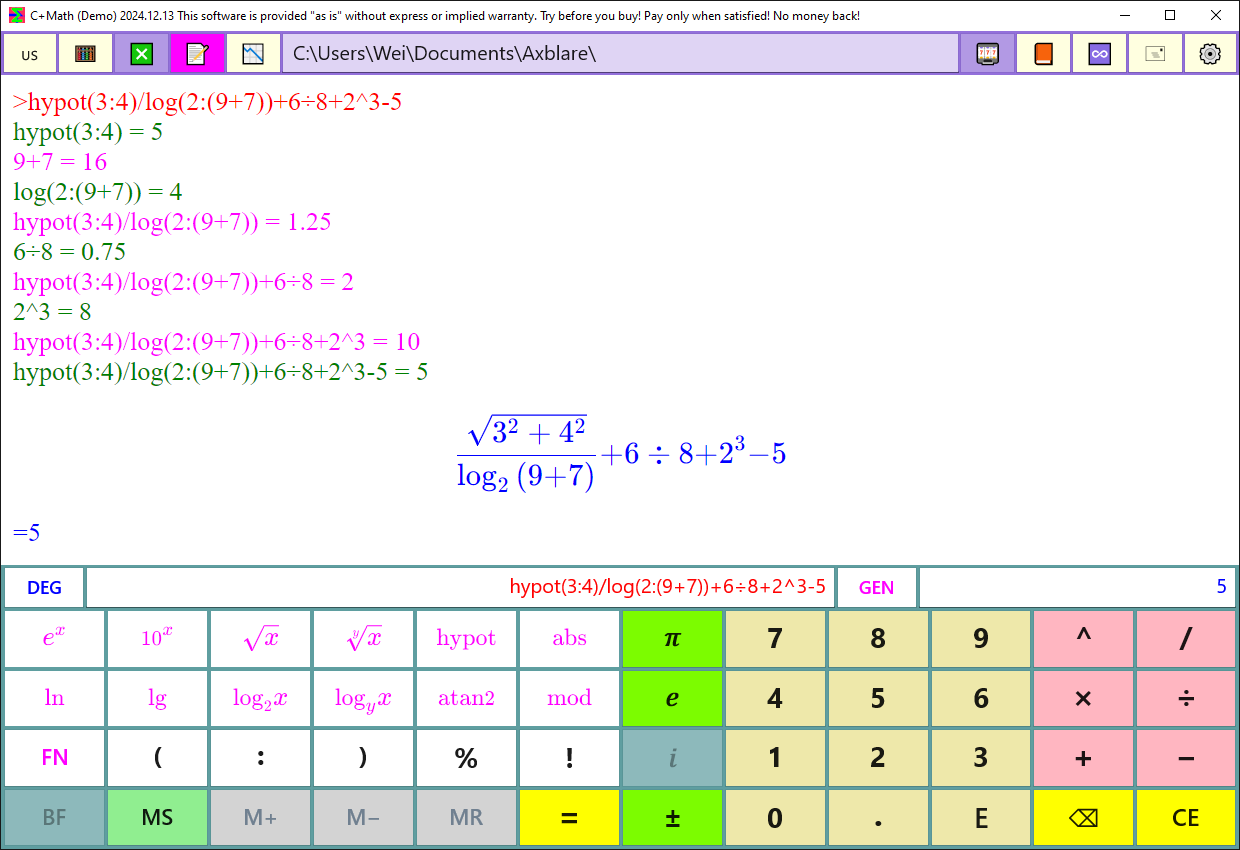
C+Math (Demo) is designed as a foundational math assistance tool tailored for students across various academic levels, including elementary, middle, high school, and college. Its primary purpose is to support mathematical learning by combining calculation capabilities with educational transparency. The app aims to solve the common challenge of rote computation without conceptual understanding by providing step-by-step breakdowns of mathematical processes. This makes it especially useful for learners who need to grasp the logic behind formulas rather than just obtain answers.
Target users include students seeking supplemental study tools, parents assisting with homework, and educators looking for classroom-friendly resources. The app’s multilingual support—spanning 60 languages—enhances accessibility for international users and language-diverse classrooms. Real-world use cases include solving algebraic equations, converting measurements in science projects, and handling currency conversions for financial literacy exercises.
The developer did not provide additional background information. However, the app’s focus on educational transparency and global accessibility suggests a strong pedagogical intent. In the broader app ecosystem, C+Math (Demo) fills a niche by offering a lightweight, learning-oriented alternative to standard calculators, particularly for users who value understanding over speed.
Key Features & Functionality
- Multilingual Support: The app supports 60 languages, enabling users to interact with the interface and mathematical content in their preferred language. This is especially beneficial for non-native English speakers and international students, promoting inclusive learning environments.
- Step-by-Step Calculations: Every computation is displayed with full breakdowns of formulas and intermediate steps. This feature allows users to follow the logic behind each operation, reinforcing conceptual understanding and helping prevent common calculation errors.
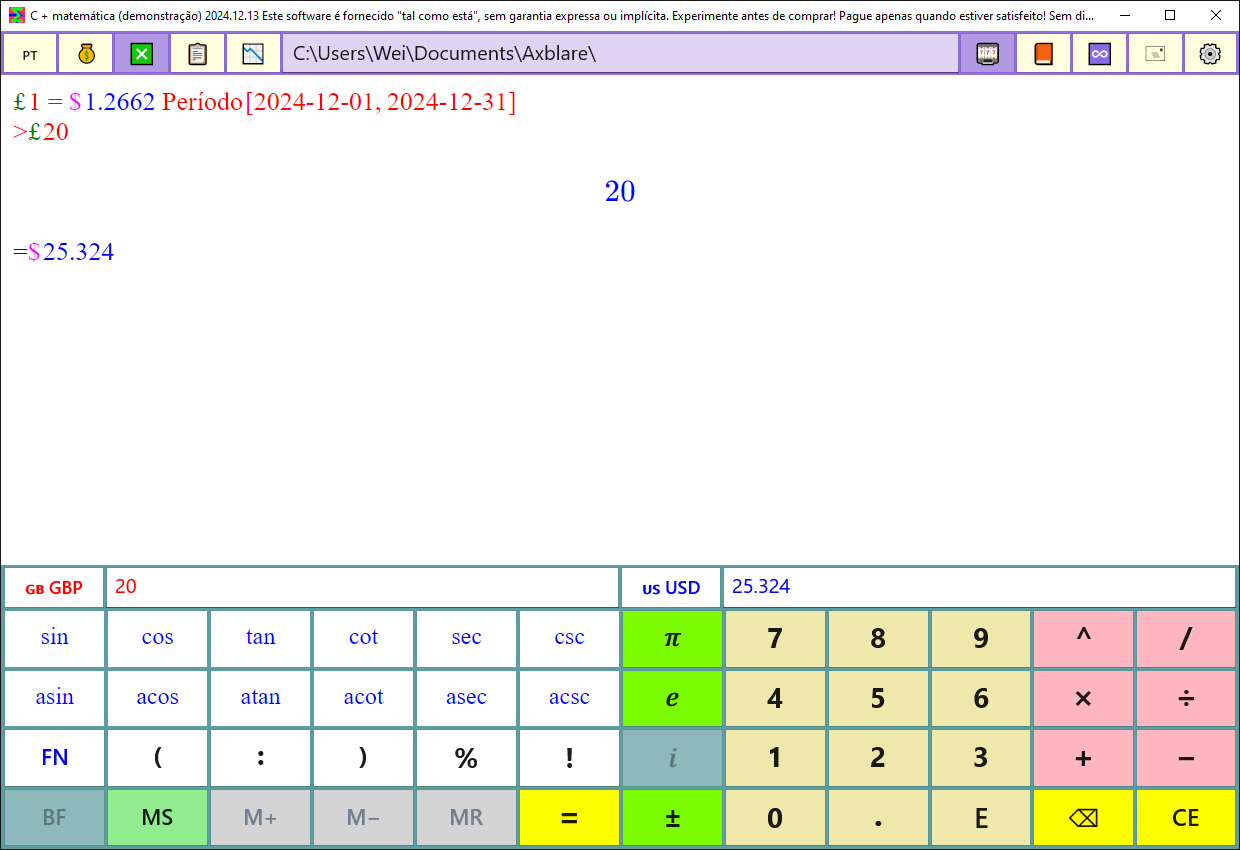
- Unit and Currency Conversion: Users can convert between various measurement units (e.g., meters to feet, grams to pounds) and access up-to-date currency exchange rates. This functionality is practical for science, engineering, and economics-related problems.
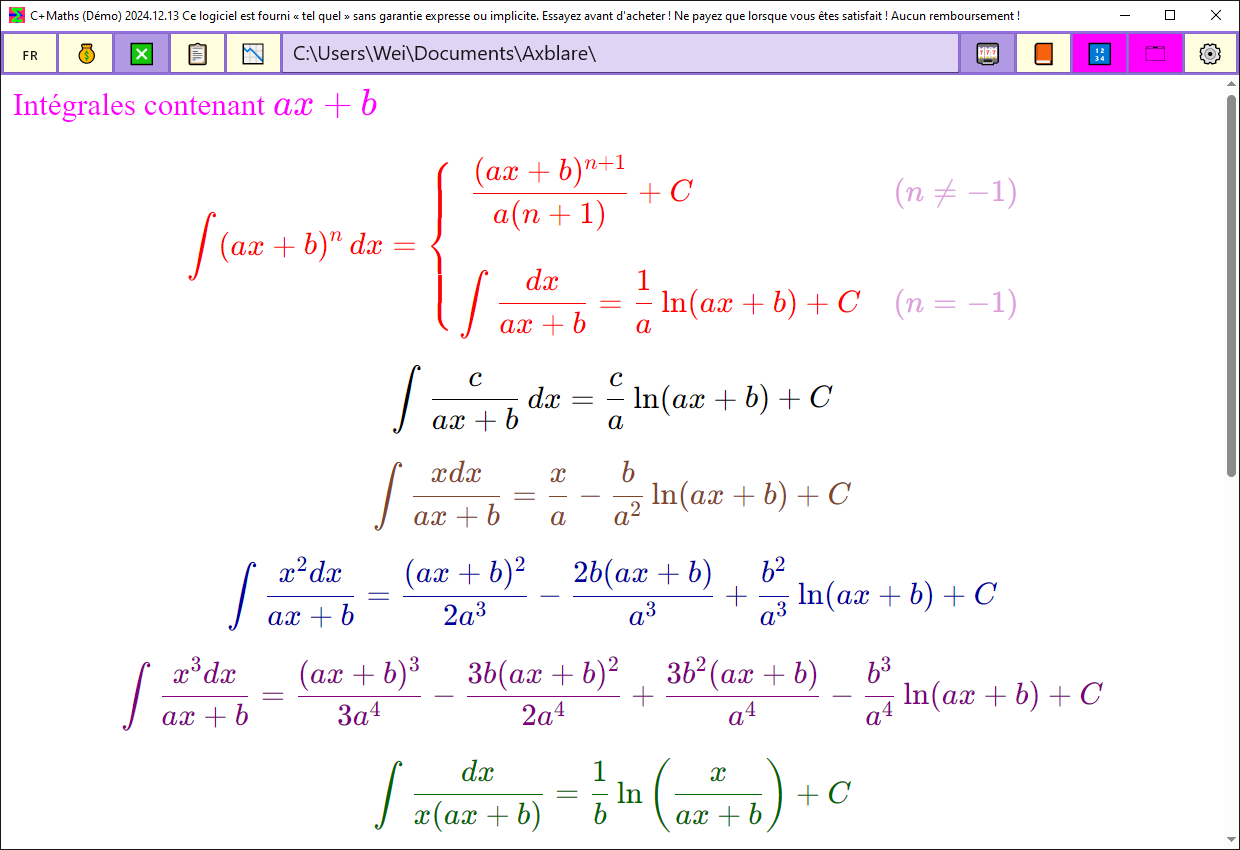
- Formula Tables and Constants: The app includes a built-in reference library of common mathematical constants (e.g., π, e) and standard formulas. This enables quick access during problem-solving sessions, reducing the need for external resources.
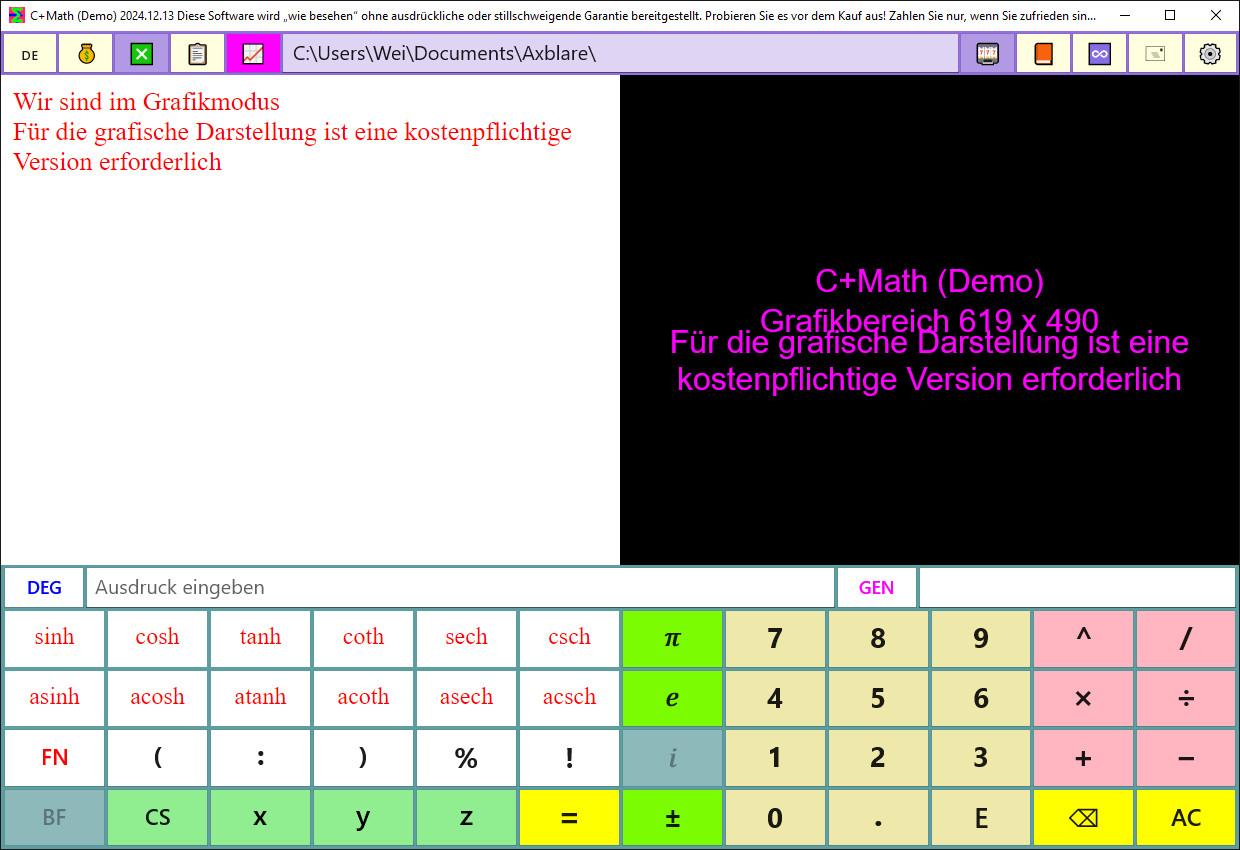
- In-App Purchase for Full Access: While the demo version has limited functionality, users can upgrade to the full version through a straightforward in-app purchase. This unlocks advanced features such as graphing tools, which are essential for higher-level math courses.
For example, a high school student working on a physics assignment can use the unit converter to switch between metric and imperial systems, then apply the correct formula from the built-in table. Similarly, a middle schooler learning fractions can use the step-by-step mode to verify each stage of a division problem. These real-world applications demonstrate how the app bridges the gap between calculation and comprehension.
Interface, UX & Performance
The user interface of C+Math (Demo) appears to be designed with clarity and educational purpose in mind. The layout likely emphasizes readability, with a clean arrangement of input fields, calculation history, and step-by-step outputs. Visual style is likely minimalistic to reduce cognitive load, allowing users to focus on mathematical content rather than interface distractions.
Navigational flow seems intuitive, with logical progression from input to result display. The inclusion of step-by-step explanations suggests a structured interaction model, where users can trace their way through complex operations. Although the developer did not list formal performance metrics, the app is expected to function smoothly on standard Android and Windows devices, provided the WebView2 runtime is installed.
Responsiveness and stability are likely consistent with similar educational tools, though specific benchmarks were not disclosed. The app may experience minor delays during complex calculations, particularly on older hardware. However, no reports of crashes or freezes were mentioned in the provided information. Users should ensure their device meets the required runtime dependencies to maintain optimal performance.
Platform Compatibility & Technical Requirements
C+Math (Demo) is available on Windows, though the exact version requirements were not specified. The app requires the WebView2 runtime to function, which is a prerequisite for rendering its interface and handling dynamic content. Users should verify that their system supports this dependency before installation.
Compatibility with Windows 10 S was explicitly noted as limited. This restriction may affect users on restricted or locked-down systems, particularly in school environments. The file size of the app was not provided, but given its educational focus and feature set, it is likely to be moderate in size. The software version and release date are listed as 2024-12-18.
Pros and Cons
Pros
- Supports 60 languages, enhancing accessibility for global users.
- Provides detailed step-by-step calculations to improve conceptual learning.
- Includes unit and currency conversion tools for practical applications.
- Offers a built-in library of formulas and constants for quick reference.
- Allows upgrading to the full version via in-app purchase for expanded functionality.
Cons
- Requires WebView2 runtime, which may not be installed on all systems.
- May not function on Windows 10 S due to system restrictions.
- Some features are locked in the demo version, limiting full functionality.
- Performance may vary on older or low-end devices.
- Specific technical requirements, such as OS version or file size, were not disclosed.
FAQ
Is C+Math (Demo) free to download and use?
Yes, the demo version is available for free. However, certain features are limited, and users can unlock the full version through an in-app purchase.
What devices can run C+Math (Demo)?
The app is designed for Windows devices. It requires the WebView2 runtime and may not operate on Windows 10 S.
Can I use C+Math (Demo) offline?
While the developer did not specify offline capabilities, features like formula tables and step-by-step calculations may function without internet access. However, currency conversion relies on real-time data and may require an internet connection.
Is the app safe to install?
Yes, the app is designed as a secure educational tool. It does not require excessive permissions and is intended for student use. Always download from official sources to ensure integrity.
How often is the app updated?
The latest version was released on December 18, 2024. Regular updates are expected to maintain compatibility and fix potential issues, though specific update frequency was not disclosed.
Final Thoughts
C+Math (Demo) stands out as a thoughtful educational tool that goes beyond basic computation by emphasizing understanding. Its multilingual support, step-by-step breakdowns, and practical conversion features make it a valuable asset for students, parents, and teachers alike. While the demo version has limitations, the clear path to upgrading ensures users can grow with the app as their math needs evolve.
For learners who benefit from seeing the “how” behind the “what,” this app delivers meaningful support. It’s especially suited for those studying algebra, physics, or financial math, where context and clarity are as important as accuracy.
Download C+Math (Demo) now and experience a smarter way to learn math—one step at a time.
Guides & Tutorials
How to install C+Math (Demo)
- Click the Download button above.
- Once redirected, accept the terms and click Install.
- Wait for the C+Math (Demo) download to finish on your device.
How to use C+Math (Demo)
This software is primarily used for its core features described above. Open the app after installation to explore its capabilities.
User Reviews
No reviews yet. Be the first to share your experience.
You may also like
more
Que no te pillen¡
About !Que no te pillen¡Reviewed by Jason A. BilbreyShow MoreShow Less

3D Combat Zone
About 3D Combat ZoneOriginally released in 1983, 3D Combat Zone immerses players...

666: El día del portal
About 666: El día del portalOn June 6, 2006, Agent P. Stone uncovers a sinister...

80 in 1 Best Flash games
About 80 in 1 Best Flash games 80 in 1 Best Flash games is a collection of 80 fl...

ABYSS SEEKERーーWhat Do You See Deep in The Abyss
About ABYSS SEEKERーーWhat Do You See Deep in The AbyssIn ABYSS SEEKER, players...

ACA NEOGEO THE KING OF FIGHTERS 2002 for Windows
About ACA NEOGEO THE KING OF FIGHTERS 2002 for WindowsTHE KING OF FIGHTERS 2002,...